BedTech BTX5 remote
Find the full model and part number, then check for a documented replacement.
Identify the exact part before replacing it
Use the complete BedTech store SKU and selected radio-type option. The brand page does not establish an electronics OEM or interchangeability between options.
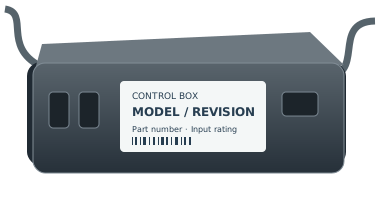
Replacement fit is not confirmed by the family name. Copy the full part number and revision from the remote back, battery compartment or accessible control-box label. If it is unsafe to reach a label, ask for help.
For support, record the complete remote and control-box labels, base model, revision and observed symptom. Ask the manufacturer to confirm a directed replacement and any pairing or feature limitations in writing.
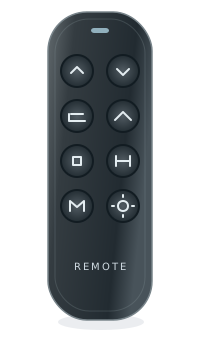
buttonsFoot up/down
buttonsPreset and
feature buttonsNeutral illustration · layouts vary
- OEM
- Not confirmed by the cited brand documentation
- Model family
- BTX5 remote
- Known store SKUs
- RM BTX5 BT
- Type
- Adjustable bed remote
- Typical use
- Identify your exact system before replacement
- Evidence level
- See the source for each claim below
BTX5 remote: identify the store option and the manual scope
Locate the correct half of the BTX5 manual before comparing a remote. The official store SKU and Bluetooth option identify a listing choice; the diagram alone does not confirm fit.
- Official store SKU
- RM BTX5 BT
Identifier reference - Store option
- Bluetooth
Identifier reference - Manual reference
- PDF page 5, printed page 06
Identifier reference
Use the BTX5 manual’s identification diagram
The BTX5 PDF uses two-page spreads: PDF page 5 has the remote-control diagram on the right, printed page 06, and pairing information on the left, printed page 05. The illustration labels ZG, M1 and Flat controls; compare the full label as well as the diagram.
Source and scopeWhat still needs the original labels
The store records a Bluetooth option under RM BTX5 BT. The manual diagram does not assign that SKU to every illustrated revision, and a pairing page is not a replacement or conversion instruction for an unidentified system. The three box manufacturing periods still need separate identification.
Source and scope Source and scope 2Your next step
- Keep the complete RM BTX5 BT identifier without adding or dropping a suffix.
- Photograph the remote label and accessible base/control-unit labels; do not enter a moving mechanism.
- Ask BedTech to confirm the exact ordering identifier and receiver/connector conditions for those labels.
These notes help identify the part. They do not verify a replacement or add a purchase recommendation. How we assess evidence
Check for a documented replacement
Not sure? See our identification guide| Recorded identifier | Replacement | Status | Notes |
|---|---|---|---|
| RM BTX5 BT | Check this exact part | Verify first | Confirm part number, revision, and control box. |
The family name alone won’t confirm a fit. Open the Finder to check the full part number and required conditions.
Related system information
BedTech systems
Find label information for this manufacturer or brand.
Check the system match
No base or control-box pairing is implied by this family page.
Check your exact base
Use the brand and model printed on its label.
How to identify this remote
Use the complete BedTech store SKU and selected radio-type option. The brand page does not establish an electronics OEM or interchangeability between options.
On the remote
Look on the back of your remote for a model number, FCC ID, or part number.
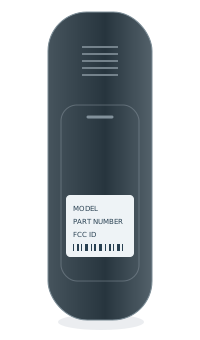 BACK OF REMOTEModel numberPart no. / FCC ID
Inside the battery cover
Some model numbers are printed inside the battery compartment.
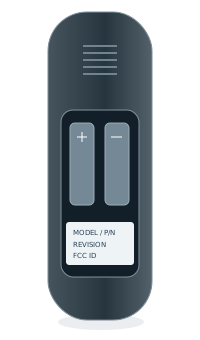 INSIDE BATTERY COVERModel numberPart no. / FCC ID
Under the bed base
Look for a label on the control box or frame, usually near the head section.