Keeson RF404 remote
Find the full model and part number, then check for a documented replacement.
Identify the exact part before replacing it
Match the complete model suffix and the original control-system label. This manufacturer-authored document identifies a particular remote model; same radio family, appearance, or button count does not confirm replacement compatibility. Customer-specific part code and firmware may still be required.
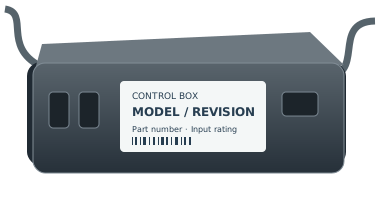
Replacement fit is not confirmed by the family name. Copy the full part number and revision from the remote back, battery compartment or accessible control-box label. If it is unsafe to reach a label, ask for help.
For support, record the complete remote and control-box labels, base model, revision and observed symptom. Ask the manufacturer to confirm a directed replacement and any pairing or feature limitations in writing.
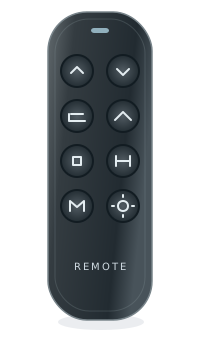
buttonsFoot up/down
buttonsPreset and
feature buttonsNeutral illustration · layouts vary
- OEM
- Keeson
- Model family
- RF404
- Known part numbers
- No reviewed part numbers yet
- Type
- Adjustable bed remote
- Typical use
- Identify your exact system before replacement
- Evidence level
- See the source for each claim below
Check for a documented replacement
Not sure? See our identification guide| Original part | Replacement | Status | Notes |
|---|---|---|---|
| RF404A | — | Verify first | Confirm part number, revision, and control box. |
The family name alone won’t confirm a fit. Open the Finder to check the full part number and required conditions.
Related system information
Keeson systems
Find label information for this manufacturer or brand.
Check the system match
No base or control-box pairing is implied by this family page.
Check your exact base
Use the brand and model printed on its label.
How to identify this remote
Match the complete model suffix and the original control-system label. This manufacturer-authored document identifies a particular remote model; same radio family, appearance, or button count does not confirm replacement compatibility. Customer-specific part code and firmware may still be required.
On the remote
Look on the back of your remote for a model number, FCC ID, or part number.
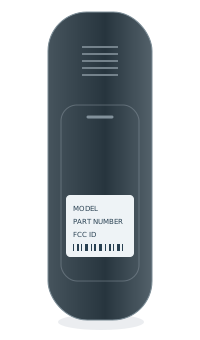 BACK OF REMOTEModel numberPart no. / FCC ID
Inside the battery cover
Some model numbers are printed inside the battery compartment.
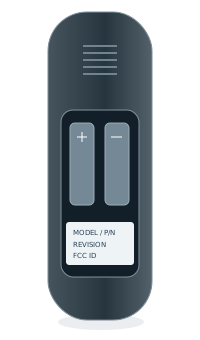 INSIDE BATTERY COVERModel numberPart no. / FCC ID
Under the bed base
Look for a label on the control box or frame, usually near the head section.