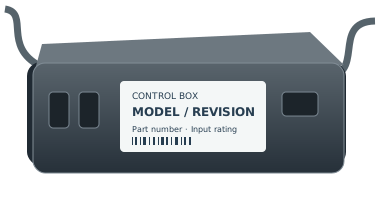
Control box family
BedTech BT3000 control box
Use the complete BedTech store SKU and selected production-period option. The brand page does not establish an electronics OEM or interchangeability between options.
The version changes the answer
Use the complete BedTech store SKU and selected production-period option. The brand page does not establish an electronics OEM or interchangeability between options.
Replacement fit is not confirmed by the family name. Copy the full part number and revision from the remote back, battery compartment or accessible control-box label. If it is unsafe to reach a label, ask for help.
Do not assume one version replaces another. Read the original label before choosing a record. A revision has not been selected for you.
Label numbers that distinguish these versions
- BT3000 - Control Box (2021 and Older) — revision: 2021 and Older; part number: BT3000 - Control Box (2021 and Older)
- BT3000 - Control Box (2022) — revision: 2022; part number: BT3000 - Control Box (2022)
- BT3000 - Control Box (2023 and Newer) — revision: 2023 and Newer; part number: BT3000 - Control Box (2023 and Newer)
For support, record the complete remote and control-box labels, base model, revision and observed symptom. Ask the manufacturer to confirm a directed replacement and any pairing or feature limitations in writing.
Identification review · 2026-10-26
BT3000 control box: check the production-period option
The BT3000 control-box name does not identify one production-period option. Keep the supplier selection separate from any manufacturer number on the original box.
- Store SKU · 2021 and Older
- BT3000 - Control Box (2021 and Older)
Identifier reference - Store SKU · 2022
- BT3000 - Control Box (2022)
Identifier reference - Store SKU · 2023 and Newer
- BT3000 - Control Box (2023 and Newer)
Identifier reference
Two separate choices in a BT3000 request
BT3000 control boxes are recorded by manufactured period. The separate BT3000 remote family contains Bluetooth and Radio Frequency options. These are two identification axes, not a year-to-radio compatibility table. Keep both sets of labels with the request.
Source and scope Source and scope 2Retain the entire period label
The three store SKUs identify supplier options, not decoded electronics part numbers. Ask BedTech which period applies to the original control unit; a receipt date or a shared enclosure does not resolve that choice.
Source and scopeYour next step
- Record BT3000 exactly as printed on the base and photograph the accessible control-box label.
- Open the official Control Box selector and keep Base Model separate from Manufactured Date.
- Ask BedTech to confirm the selected option against the original labels. A similar box or an unresolved date is not enough.
These notes help identify the part. They do not verify a replacement or add a purchase recommendation. How we assess evidence
Revision matters
Confirm the complete model, revision, connector configuration, and part number. A similar connector alone won’t confirm a match.
Check this control boxNot sure where to look?
Here are the most common places to find your model or part number.
1
On the remote
Look on the back of your remote for a model number, FCC ID, or part number.
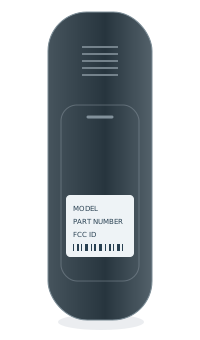 BACK OF REMOTEModel numberPart no. / FCC ID
2
Inside the battery cover
Some model numbers are printed inside the battery compartment.
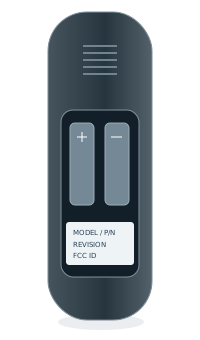 INSIDE BATTERY COVERModel numberPart no. / FCC ID
3
Under the bed base
Look for a label on the control box or frame, usually near the head section.