Remote model
BedTech BT3000 remote remote
Model family, part numbers, and documented replacement paths.
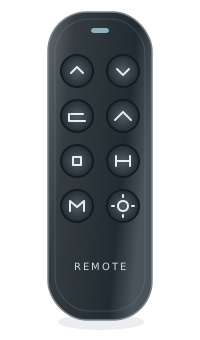
buttonsFoot up/down
buttonsPreset and
feature buttonsNeutral illustration · layouts vary
BedTechRevision-sensitive
- OEM
- Not confirmed by the cited brand documentation
- Model family
- BT3000 remote
- Known part numbers
- RM BT3000 BT, RM BT3000 RF
- Type
- Adjustable bed remote
- Typical use
- Identify your exact system before replacement
- Evidence level
- See claim-specific evidence below
Do not match by family name aloneDifferent variants can look very similar.
Part number mattersAlways confirm the exact part number.
Button layout may varySome versions have different features.
Verified replacement paths
Not sure? See our identification guide| Original part | Replacement | Status | Notes |
|---|---|---|---|
| RM BT3000 BT | Check exact variant | Verify first | Confirm part number, revision, and control box. |
| RM BT3000 RF | Check exact variant | Verify first | Confirm part number, revision, and control box. |
A family name is not a compatibility claim. Open the finder to check all required conditions.
Seen with these systems
BedTech systems
Browse identification information for this source.
System links need evidence
No base or control-box pairing is implied by this family page.
Check your exact base
Use the brand and model printed on its label.
How to identify this remote
Use the complete BedTech store SKU and selected radio-type option. The brand page does not establish an electronics OEM or interchangeability between options.
1
On the remote
Look on the back of your remote for a model number, FCC ID, or part number.
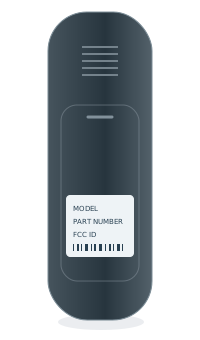 BACK OF REMOTEModel numberPart no. / FCC ID
2
Inside the battery cover
Some model numbers are printed inside the battery compartment.
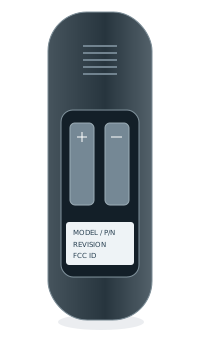 INSIDE BATTERY COVERModel numberPart no. / FCC ID
3
Under the bed base
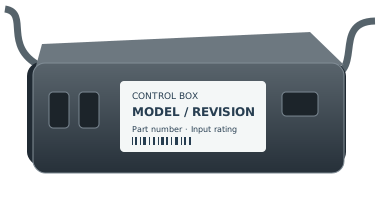
Look for a label on the control box or frame, usually near the head section.