LINAK HC10 remote
Find the full model and part number, then check for a documented replacement.
Identify the exact part before replacing it
LINAK documents this wireless hand-control family and customization options. Read the full item code and software version; a family name alone is not a retail replacement identifier.
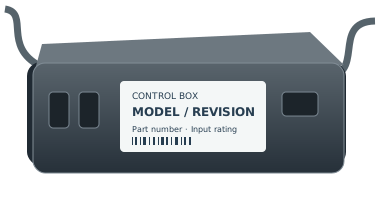
Replacement fit is not confirmed by the family name. Copy the full part number and revision from the remote back, battery compartment or accessible control-box label. If it is unsafe to reach a label, ask for help.
For support, record the complete remote and control-box labels, base model, revision and observed symptom. Ask the manufacturer to confirm a directed replacement and any pairing or feature limitations in writing.
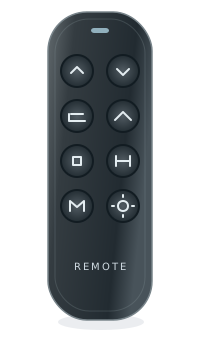
buttonsFoot up/down
buttonsPreset and
feature buttonsNeutral illustration · layouts vary
- OEM
- LINAK
- Model family
- HC10
- Known part numbers
- No reviewed part numbers yet
- Type
- Adjustable bed remote
- Typical use
- Identify your exact system before replacement
- Evidence level
- See the source for each claim below
HC10 family, HC12 model, software and version are different fields
The LINAK HC10 manual describes a qualified HC12 configuration on page 22. The combined name used in this catalog is a reading aid, not a manufacturer replacement part number.
- Product model
- HC12
Identifier reference - Software identifier
- SW0077075
Identifier reference - Software version
- 1.04
Identifier reference - Production qualifier
- Produced from November 2017
Identifier reference
Read all four fields together
The manual’s dual-pairing description applies to this qualified configuration. An HC10 family name alone does not establish the software identifier, version, or production period. If a field is missing, ask the system supplier to identify it.
Source and scopeReceiver conditions remain part of the scope
Page 22 distinguishes systems with integrated Bluetooth from CBD6DC HOMELINE systems using Bluetooth adapters, and excludes a LINbus connection between the two products. Those conditions are not an unconditional family-level compatibility statement.
Source and scopeDo not turn an operating instruction into a successor
A documented pairing capability does not identify a retail replacement for an unknown installed system. Keep the hand-control fields with receiver and adapter details when requesting help. Use the official manual for the confirmed configuration; no universal button sequence is provided here.
Source and scopeYour next step
- Record model, software identifier and version separately.
- Collect the receiver/control-unit and any adapter identity.
- Ask the supplier whether the manual’s qualified configuration applies before choosing a part.
These notes help identify the part. They do not verify a replacement or add a purchase recommendation. How we assess evidence
Check for a documented replacement
Not sure? See our identification guide| Recorded identifier | Replacement | Status | Notes |
|---|---|---|---|
| HC12 / SW0077075 / 1.04 | — | Verify first | Confirm part number, revision, and control box. |
The family name alone won’t confirm a fit. Open the Finder to check the full part number and required conditions.
Related system information
LINAK systems
Find label information for this manufacturer or brand.
Check the system match
No base or control-box pairing is implied by this family page.
Check your exact base
Use the brand and model printed on its label.
How to identify this remote
LINAK documents this wireless hand-control family and customization options. Read the full item code and software version; a family name alone is not a retail replacement identifier.
On the remote
Look on the back of your remote for a model number, FCC ID, or part number.
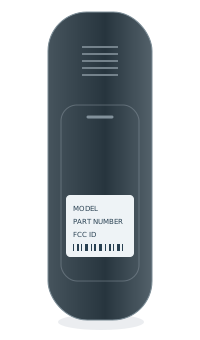 BACK OF REMOTEModel numberPart no. / FCC ID
Inside the battery cover
Some model numbers are printed inside the battery compartment.
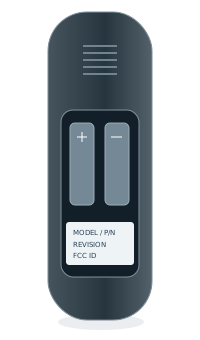 INSIDE BATTERY COVERModel numberPart no. / FCC ID
Under the bed base
Look for a label on the control box or frame, usually near the head section.